As we age, our bodies start to do things that we would
rather they didn't. One such thing is there is a natural loss in hearing and
visual acuity. People can become hard of hearing or require glasses to correct
sight difficulties. Studies also suggest that mental functioning is also slowed
down, thereby making it harder to retain and process new information. In other
words, as we age we rely on our past experience to assist us in the future.
With all the changes that the digital revolution has spawned
it is little wonder that many people, irrelevant of age, find technology
daunting. The decision to engage digitally is being forced upon the UK by
Government using online forms and information in preference to the printed
word, thereby excluding anyone who is not computer literate.
I will leave computers to a further post, and concentrate
this one on mobile phones.
The land line is all but dead. Most young people have a
mobile phone and a contract with a network provider, which they change
regularly along with getting a new phone. Research suggests older people are
less likely to engage in mobile communication and when they do they tend to
stick with the network provider and phone for considerably longer than young
people.
Thus for the older person who wants to enter the mobile
marketplace what are the options?
I would suggest there are three options:
1) a simple very cheap phone to make and receive calls on
and nothing more.
2) an easy to use phone, which is specifically designed for
older or disabled people.
3) a smartphone.
Let's consider the merit of each.
1) The simple phone (feature phones)
There are a range of simple phones which allow the user to
make and receive calls. Some have Internet access and most will provide a
simple SMS (text) service. There could even be a camera or fm radio facility
with the phone but these are often tokenistic gestures and are of poor quality.
The simple phone is ideal for people with excellent sight, excellent hearing
and who are able to learn the relatively poor menu system that most have. The menu system is one where it is easy to
get lost and be unsure how to get out of the maze of menus. Screens accordingly
can be poor and ringtone limited. You get what you pay for.
The Nokia 100 a simple mobile phone
with no frills but a good price tag.
2) the Easy to Use Phone
Easy to use phones are not new but they can be hard to track
down and even harder to test prior to purchase. In my two ebooks (
Easy
to use mobile phones and
A
guide to buying a mobile phone for the over 50's) I outline the key characteristics
of an easy to use phone. This category is slowly growing in popularity and
supermarkets are now beginning to stock some easy to use phones.
Essentially, easy to use phones have louder ring tones,
increased volume, larger font sizes and better contrast. Some suffer from the
difficult menu syndrome but most have the main things to use easily accessible
for the user. Some easy to use phones have emergency buttons to allow the user
to call for assistance in an emergency.
Some companies to consider looking out for are
Alcatel,
emporia,
Doro, but a good selection are reviewed
by Which?
here,
although it is difficult to argue they are all easy to use.

The simplest easy to use phone is being marketed by AgeUK in
their shops.
It is called the
My Phone
and looks like a brightly coloured credit card.
You can buy this phone and it allows the use to store only a preset number
of your nearest and dearest on it and can emboss their names on it.
You press on the name and it dials the
number. Clearly a phone like this is not suitable for the majority of the
people in the world and might only be suited to those with cognitive impairments,
but as it is so small I suspect it will be lost before it is ever used.
Sadly no voice mail feature, no caller
recognition features to allow the user to see who is calling and a design that
might look funky bad is hardly useable for people with dexterity issues or
hearing problems.
AgeUK’s
myphone
If you have hearing, sight or cognitive processing difficulties
then an easy to use mobile phone might solve you communication problems.
This is especially the case as Doro have
started to bring out a
smartphone
specifically for the older generation.
Although this may not compete with some of the top smartphones it might
be worth investigating.
The Doro 740 “Smartphone”
3) the Smartphone
Smartphones have been around for many years. The iPhone is possibly the most famous of the
bread. Within smartphones there are a
number of platforms that the phone can work on and these are iOS (Apples mobile
platform); Windows mobile (Windows platform); Android (Google’s platform); Blackberry
(the Blackberry platform) and Firefox (Mozzilla’s new platform). Each has merits but if the search includes
accessibility features and add-ons such as apps to personalise your mobile experience
then iOs and Android are the ones to head towards at the moment as both have a
range of accessibility additions you can use.
Ultimately, the question comes down to what do you want to
do with your phone?
If you want to make calls and receive them and send the off
SMS text to someone then a simple phone or an easy to use phone might be just
what you are looking for, but increasingly people want more for their money and
they want more from their mobile. Thus
if you want to watch movies, take good photos, do Internet chat sessions,
browse the Web, play games, keep share documents up to date, use cloud
services, complete online forms in on your phone, then you have to look for a
smartphone or a tablet.
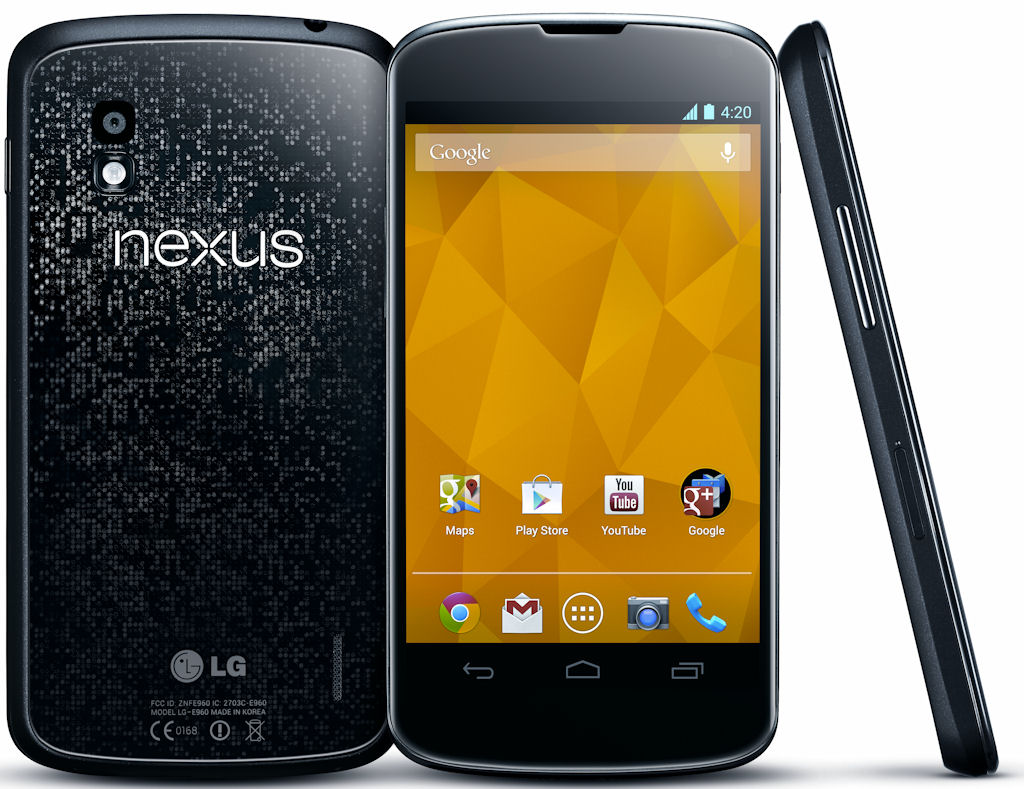
The nexus 4 runs the latest version of Android
Smartphones have progressed so that it is easy to understand
the basics of how you interact with them.
Certainly Android has made leaps in this direction and has increasingly made
the phone more user friendly. Like
anything, you have to learn the basics, but with iOS and Android the learning
curve is less and things become intuitive quite simply.